
Effortlessly turn creative ideas into buildable 3D models with intuitive, professional-grade design software trusted by architects, builders, and designers worldwide.
Included with Pro:
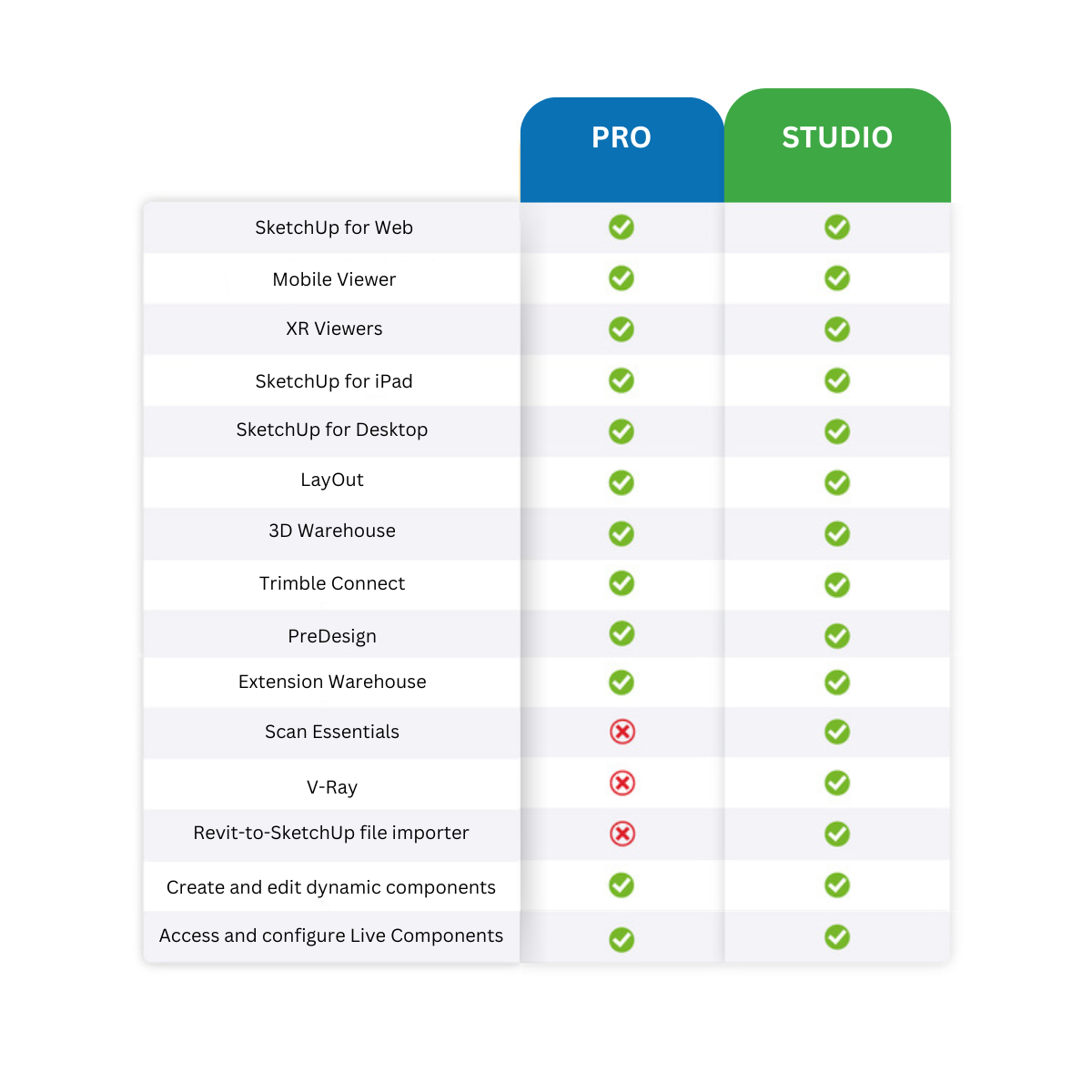
 Desktop, iPad, and web-based 3D modelers 2D design documentation Quick insights for design research Access to plugins for extending SketchUp for Desktop functionality
Everything in Pro plus:
Import Revit files into SketchUp in a few clicks Revit-to-SketchUp importer Model on point clouds in 3D and document in 2D Create real-time visualizations and photorealistic images Export fully rendered animations and 360° panorama
Revolutionize the way you create
SketchUp is an easy-to-use 3D CAD modelling software, it is now available in a subscription model which allows flexibility and software that is always up to date. We also offer training and extensions for SketchUp software.
TCS CAD has been a SketchUp software partner since 2009 and offers sales, training and post-sale support services to customers in the UK and Ireland. Our business was established in 1994, specialising in providing CAD and BIM design software solutions, large-format printing, scanning and copying equipment to the architectural engineering construction industry.
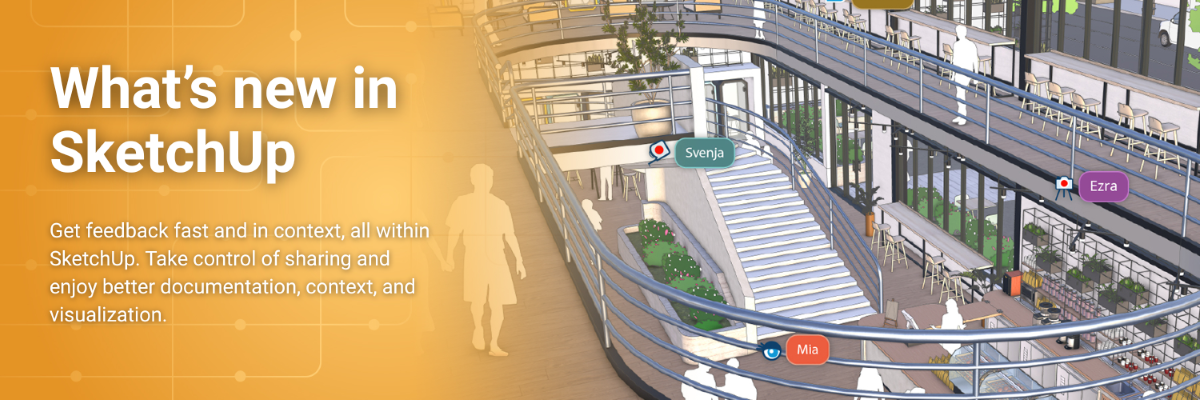
SketchUp’s latest release is here—and it’s a game-changer for design collaboration, documentation, and visualization.
Say goodbye to scattered feedback. With in-app commenting, real-time viewing, and camera follow, you can now centralize design conversations directly inside your models. Share securely with new permission controls and guide stakeholders through your designs with Slideshow Mode.
LayOut now includes four new drafting tools—Fillet, Chamfer, Trim, and Extend—plus improved DWG export and a refreshed UI (Windows-only). Whether you're creating construction documents or architectural illustrations, SketchUp makes it easier than ever.
Import 3D buildings with Add Location and enhance realism with Scan Essentials updates like Texture Projection and Surface Mesh tools. Perfect for urban planning, site studies, and client presentations.
New visualization tools give you more control over style and realism. Use Color Ambient Occlusion, Invert Roughness, and the upgraded Diffusion v2 (Labs) to create stunning, high-fidelity renders faster.
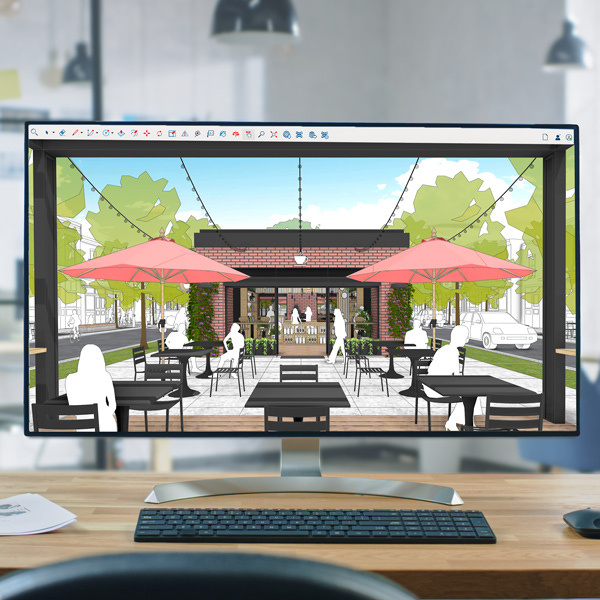
Visualize your project quickly and clearly in 3D with SketchUp for Desktop, our most popular 3D modeler.

Use the combined power of V-Ray and SketchUp to create photorealistic renderings that bring your design vision into reality.
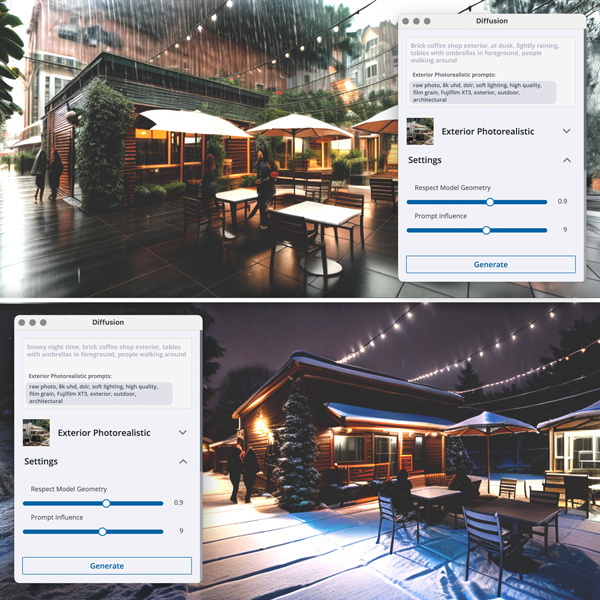
Explore design concepts through AI-generated imagery with Diffusion for quick iteration and ideation.
Explore your creativity
Ideate and iterate with visuals to get a clear picture of your design choices — and unveil surprising possibilities.
Jump-start productivity
Get designing fast with AI driven, time-saving solutions that help you zoom from the first sketch to the final design.
Craft a compelling design story
Clear visualizations move your project from design to done by maintaining the alignment needed to keep work flowing.
Compare Plans and Features
Explore all the features SketchUp has to offer and find the right plan for you.
Frequently asked questions
SketchUp offers annual subscriptions for all offerings, as well as monthly plans for Go and Pro. You pay at the start of the subscription and are entitled to use all features in your chosen SketchUp subscription for one month or one year, depending on the term you subscribe to. Unless specified, subscriptions automatically renew at the end of your term for an equal term at the then-current price.
We accept Visa, American Express (U.S. only), Mastercard, Discover and PayPal.
At Trimble, we are committed to your privacy. We know that we must earn your trust—and keep it—every time you use Trimble products and services. Visit our Privacy Policy to learn more.
To access and manage your subscription, you'll need to create and sign in with a Trimble ID. Each user account can only be associated with one person; you cannot create a generalized user account. Once you log in, you can manage your plan and user roles, and access products through your Trimble Account.
Like many computer programs, SketchUp's desktop application requires certain hardware and software specifications in order to install and run. These are basic requirements, though, so you may want to use our recommended suggestions to improve performance. Read more information here.